iPhone and iOS guide
Earthquake alerts on iPhone: the settings, the coverage and the gaps
An iPhone can be warned before strong shaking — but only in the places where somebody operates a system that can warn it. Here is where the switches live, which countries actually reach an iPhone, and what to do everywhere else.
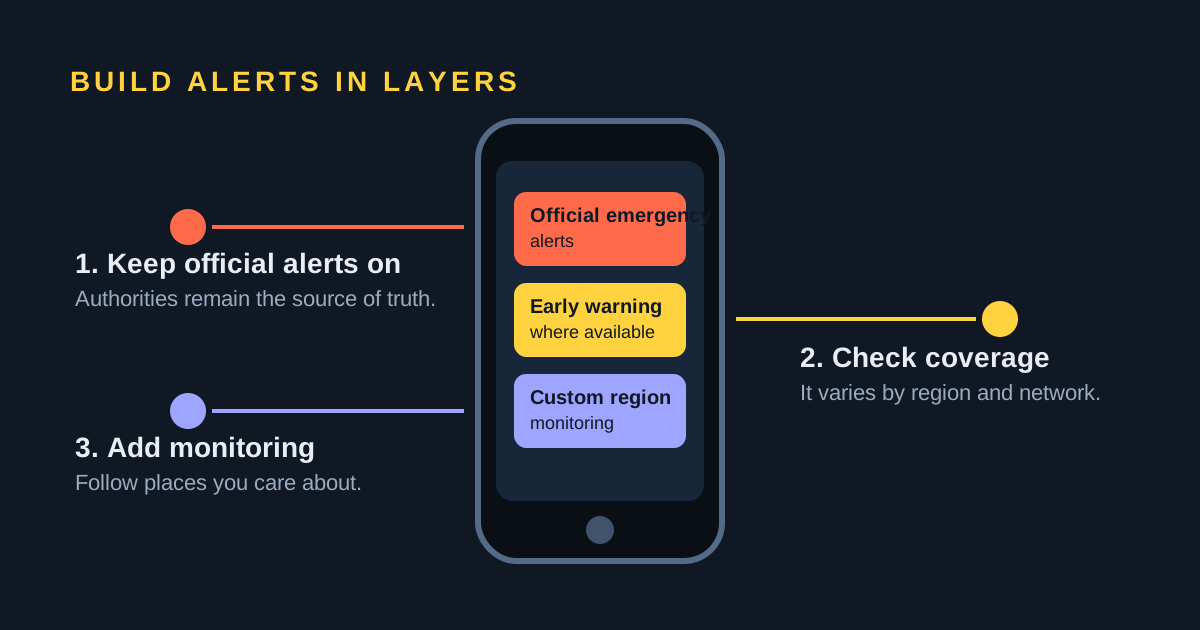
The switches are at Settings → Notifications, right at the bottom of the screen, under Government Alerts. That section is how national warning systems — Japan's JMA, Taiwan's CWA, Mexico's SASMEX, US Wireless Emergency Alerts — reach an iPhone, and it is on by default. On iOS 26.2 or later in the United States and Taiwan there is a second section, Enhanced Alerts → Enhanced Safety Alerts, where Apple's own Earthquake Alerts and the Improve Alert Delivery option live. There is no earthquake early warning at all in most of the world, including Spain — no iPhone setting can create one.
The exact iOS settings, by name
Almost every guide to this topic waves at "the emergency alert settings". Here is what is actually on the screen.
Government Alerts
Open Settings → Notifications and scroll to the very bottom. The Government Alerts group is the last thing there, and it holds a switch per alert type — typically Emergency Alerts (imminent threats to life and safety, plus extreme weather), Public Safety Alerts, and in the United States AMBER Alerts. Apple says these are turned on by default, that a government alert plays a special sound similar to an alarm, and that in some countries you cannot turn them off at all. They also depend on your carrier: Apple states that Government Alerts are supported when you are using a SIM or eSIM from a supported carrier.
Inside Emergency Alerts on US iPhones running iOS 17.2 or later there is one more switch, Local Awareness. It lets your approximate location be used to make alerts more accurate and better targeted, so you get fewer messages about places far away from you. It is off by default and, at the time of writing, US-only.
Enhanced Safety Alerts
This is the newer and more interesting layer, and it is the one most articles miss. Apple's Enhanced Safety Alerts are delivered by Apple over Wi-Fi and cellular data rather than by your government over the carrier's broadcast channel, and they look and sound different from a government alert. They require iOS 26.2 or later and are available in the United States and Taiwan only.
To find them: Settings → Notifications → scroll to the bottom → Enhanced Alerts → Enhanced Safety Alerts. Three switches live there:
- Earthquake Alerts — on by default.
- Imminent Threat Alerts — on by default.
- Improve Alert Delivery — off by default. Turning it on shares your approximate location with Apple so alerts can be targeted and delivered faster. Apple's own example is that earthquake alerts on iPhones in California, Oregon and Washington, and bordering areas, may arrive more quickly and reliably with it enabled. Apple says it does not store that approximate location data.
One detail worth knowing: Apple says an iPhone that receives an Earthquake Alert can rebroadcast it anonymously to nearby Apple devices, which is how a watch or a phone with a poor connection can still be reached.
Government Alerts and Enhanced Safety Alerts are not alternatives. If your local authorities issue an alert over the carrier network and Apple issues one too, your iPhone can show both — and with Improve Alert Delivery on, Apple's may arrive first.
Awareness alerts and Action alerts
Apple's earthquake alerts come at two levels, chosen by how strong the expected shaking is and how close you are to it. An Awareness Alert tells you an earthquake has been detected nearby and that you should be ready to act if you need to. An Action Alert is labelled critical: it means strong shaking is expected where you are and you should take protective action immediately. Both carry the estimated magnitude, your proximity to the event and a suggested action.
That two-level design is deliberate and it mirrors what Android does with its Be Aware and Take Action alerts, described in our companion guide to earthquake alerts on Android. Warning everyone about everything trains people to ignore warnings; warning loudly only when the shaking will be serious is what keeps a critical alert credible.
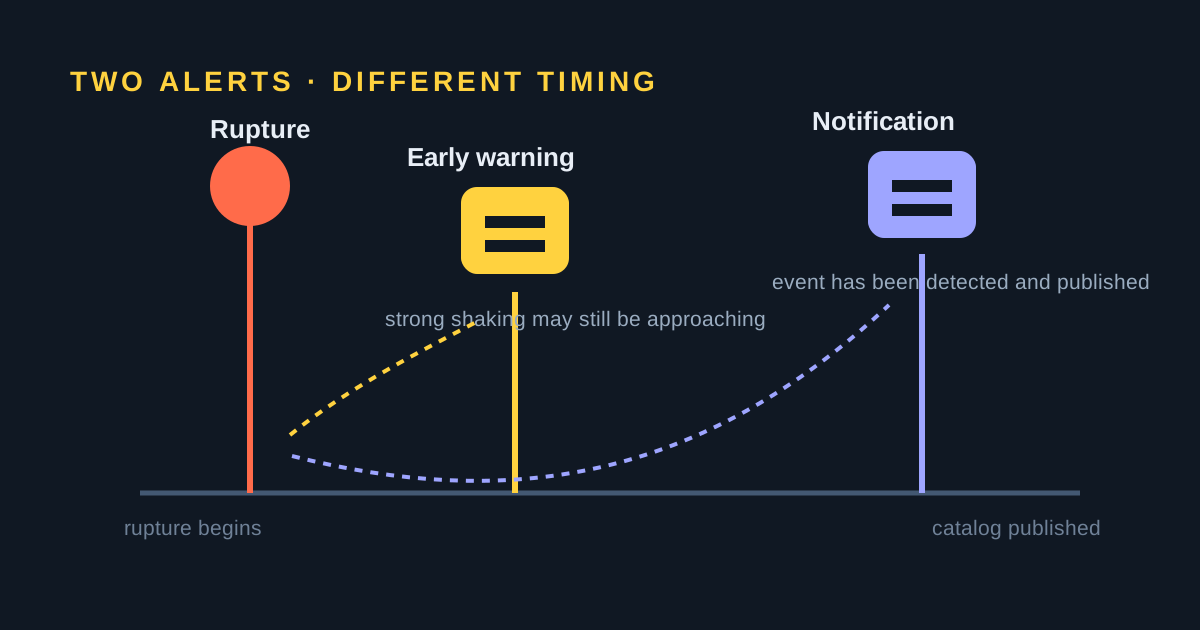
Everything above is early warning: a message sent after a rupture has already started, racing the slower, damaging waves outward. It is not prediction, and it cannot help you if you are close to the epicentre. Our guide to how earthquake early warning works covers the physics, the blind zone and why the useful warning time is measured in seconds.
What actually warns an iPhone, country by country
Whether your iPhone gets a warning has very little to do with your iPhone. It depends on whether somebody near you operates an earthquake early-warning system and has a route to your handset.
| Where | System | Early warning? | How it reaches an iPhone |
|---|---|---|---|
| Japan | JMA Earthquake Early Warning | Yes | Carrier cell broadcast, on by default |
| Taiwan | CWA Earthquake Alert | Yes | Cell broadcast; also Apple Enhanced Alerts |
| Mexico | SASMEX | Yes | Cell broadcast plus street loudspeakers |
| US: California, Oregon, Washington | ShakeAlert (USGS) | Yes | Wireless Emergency Alerts, MyShake, Apple Enhanced Alerts |
| Rest of the United States | No public early warning | No | Government alerts only, after the fact |
| Chile | SENAPRED SAE | No | Cell broadcast for tsunami and evacuation |
| Peru | SASPe (IGP) | Yes, via sirens | Street sirens, not a phone alert |
| Spain | ES-Alert | No | Cell broadcast for general emergencies |
Two rows deserve spelling out. Japan has run a national Earthquake Early Warning service through the Japan Meteorological Agency for years, and Apple maintains a dedicated support page for setting Japanese emergency alerts up — it is the most mature route to an iPhone anywhere in the world. In Mexico, SASMEX warnings have been broadcast by street loudspeakers for decades and, since the 2025 national drill, by cell broadcast to compatible handsets; because that is a carrier-level message it needs no app and no data connection, but older phone models may not support the channel.
And Spain is the row Spanish readers most need to see. ES-Alert is a real, working national warning system — but it is a general civil-protection channel for emergencies of every kind, and Spain has no earthquake early-warning system feeding it. No iPhone setting will change that; what you can do is follow the events afterwards.
MyShake on iOS, if you are in ShakeAlert country
MyShake is the free app operated by the UC Berkeley Seismology Lab with the USGS and the California Governor's Office of Emergency Services. It delivers ShakeAlert-powered warnings, and it works for early warning in California, Oregon and Washington only — elsewhere it is a map and a reporting tool, not a warning system.
- Install MyShake from the App Store. Check the publisher is the UC Berkeley Seismology Lab; there are copycats, and there is no official app called simply "ShakeAlert".
- Open it and allow location access. The app needs to know whether you are inside the ShakeAlert coverage area to decide whether to warn you.
- Allow notifications. If iOS asks whether the app may send critical alerts, say yes — that is what lets a warning sound through a silenced phone.
- Confirm on the app's own screen that it reports you as covered. If it does not, you are outside ShakeAlert territory and it will not warn you.
- Leave it installed and use its "did you feel it" reporting after an event; those reports feed real shaking-intensity maps.
Focus modes, Do Not Disturb and what they silence
This is the single most consequential thing to understand about phone alerts, and it cuts differently for official and unofficial channels.
Government alerts are not ordinary notifications. They arrive over the carrier's broadcast channel and play their own alarm-like sound. A Focus, Do Not Disturb or the Ring/Silent switch does not suppress them. That is deliberate: they are meant to wake you. Apple's own Action Alert for expected strong shaking is likewise flagged as a critical alert.
Third-party app notifications are ordinary notifications. Any Focus that is active will hold them back unless you have added the app to that Focus's allowed list, or the app has been granted the Critical Alerts permission and uses it. That applies to MyShake, to LastQuake, and it applies equally to app-based services on Android — including ours. If you are going to depend on an app for anything time-sensitive, allow it in your Sleep Focus and check that it can still make a sound.
Troubleshooting
Test that alerts can reach you
On a US carrier — including Puerto Rico, and including roaming in the US on a foreign SIM — you can opt into the government test broadcasts. On iOS 15.4 or later, go to Settings → Notifications and turn on Test Alerts; it is off by default. On iOS 15.3 or earlier the switch does not exist and you dial *5005*25371# to enable it, or *5005*25370# to disable it. Your local authorities decide the content and frequency of those tests.
Carrier dependence
Government alerts ride on the mobile network, so they need a SIM or eSIM from a carrier that supports the channel and a working cellular connection. Airplane mode, Wi-Fi-only use, a travel eSIM from a small reseller, or a region where your carrier has not implemented cell broadcast can all break delivery. Recheck the Government Alerts screen after you change SIM or eSIM, especially when travelling to Japan, Taiwan or Mexico, where the alert you most want is the local one.
Why no alert arrived
Work down the list: no early-warning system covers the country you were in; you were inside the blind zone near the epicentre, where nothing can beat the shaking; the expected intensity at your exact location was below the alert threshold; you had no cellular signal; your carrier or handset does not support the broadcast channel; the switch was off; or, for Apple's Enhanced Safety Alerts, you were outside the United States and Taiwan or running an iOS version older than 26.2. Apple is explicit that network conditions affect timeliness and reliability, and no system promises delivery.
Is there a SeismoWatch app for iPhone?
No. SeismoWatch is Android only today. There is no iOS build, no TestFlight, and no waiting list — we would rather tell you that on this page than have you search the App Store and wonder.
What we would genuinely recommend to an iPhone reader, in order:
- Leave Government Alerts on. In Japan, Taiwan, Mexico and the US West Coast this is the fastest warning you will get, and it costs nothing.
- In California, Oregon or Washington, add MyShake as a second channel, and turn on Improve Alert Delivery if you are on iOS 26.2 or later.
- Anywhere in the world, use the free USGS Earthquake Notification Service for post-event email alerts. You define an area and a minimum magnitude, and USGS emails every event that matches; if your carrier supports email-to-text it can arrive as an SMS.
- Use this site for the "what just happened" moment. It works in any browser on any phone.
Felt something and want to know what it was? Open today's earthquakes or the past seven days for the live worldwide list, or go straight to California, Japan, Mexico or any other region we track.
Frequently asked questions
Does the iPhone have earthquake alerts?
Yes, in two different ways. Every iPhone with a SIM or eSIM from a supported carrier can receive Government Alerts, which is how national systems such as Japan's JMA warning, Taiwan's CWA alert and Mexico's SASMEX reach a handset. Separately, Apple's own Enhanced Safety Alerts include Earthquake Alerts, but they require iOS 26.2 or later and are available only in the United States and Taiwan.
Where is the earthquake alert setting on iPhone?
Open Settings, tap Notifications and scroll to the very bottom. Government Alerts sits there, with switches such as Emergency Alerts and Public Safety Alerts. On iOS 26.2 or later in the United States and Taiwan there is also an Enhanced Alerts section: tap Enhanced Safety Alerts to find Earthquake Alerts, Imminent Threat Alerts and Improve Alert Delivery.
What does Improve Alert Delivery do?
It shares your approximate location with Apple so that Enhanced Safety Alerts can be targeted more accurately and delivered faster. Apple gives California, Oregon and Washington as the example where earthquake alerts may arrive quicker and more reliably with it on. It is off by default and Apple says it does not store the approximate location data.
Do earthquake alerts come through Do Not Disturb or a Focus?
Government alerts do. Apple says a government alert plays a special sound similar to an alarm, and Apple's own Action Alert for strong expected shaking is labelled critical. Ordinary third-party app notifications do not: a Focus or Do Not Disturb will silence them unless you allow that app in the Focus or the app has been granted permission to send critical alerts.
Is there a SeismoWatch app for iPhone?
No. SeismoWatch is Android only today, and there is no iOS version and no waiting list to join. iPhone users are better served by keeping Government Alerts on, by MyShake in California, Oregon and Washington, by USGS Earthquake Notification Service email alerts anywhere in the world, and by this site's own live earthquake pages.
Why did my iPhone not receive an earthquake alert?
Check in this order: whether any earthquake warning system covers the country you were in; whether you were inside the blind zone near the epicentre, where no warning can outrun the shaking; whether the phone had a working cellular connection, since government alerts travel over the carrier network; whether your SIM or eSIM is from a carrier that supports the channel; and whether the relevant switch under Government Alerts is on.
Sources and further reading
- Apple Support: Government, Emergency, and Enhanced Safety Alerts on iPhone
- Apple Support: set up emergency alerts for Japan on iPhone
- Japan Meteorological Agency: Earthquake Early Warning
- Central Weather Administration, Taiwan
- USGS ShakeAlert earthquake early warning
- MyShake, UC Berkeley Seismology Lab
- USGS Earthquake Notification Service
- EMSC LastQuake app