Android guide
Earthquake alerts on Android: how to turn them on and how they work
Android has a real earthquake early-warning system built in, and on most phones it is already switched on. Here is where the setting lives, what the two alert types do, and what to check when an alert arrives — or doesn't.
On a Pixel and most stock-Android phones the switch is at Settings → Safety & emergency → Earthquake alerts, and Google turns it on by default where it is supported. The system is Google's, not the USGS's: it uses ShakeAlert sensor data in California, Oregon and Washington, and readings from the accelerometers inside Android phones everywhere else. It alerts for earthquakes of about magnitude 4.5 and above, in the 98 countries and territories on Google's published list.
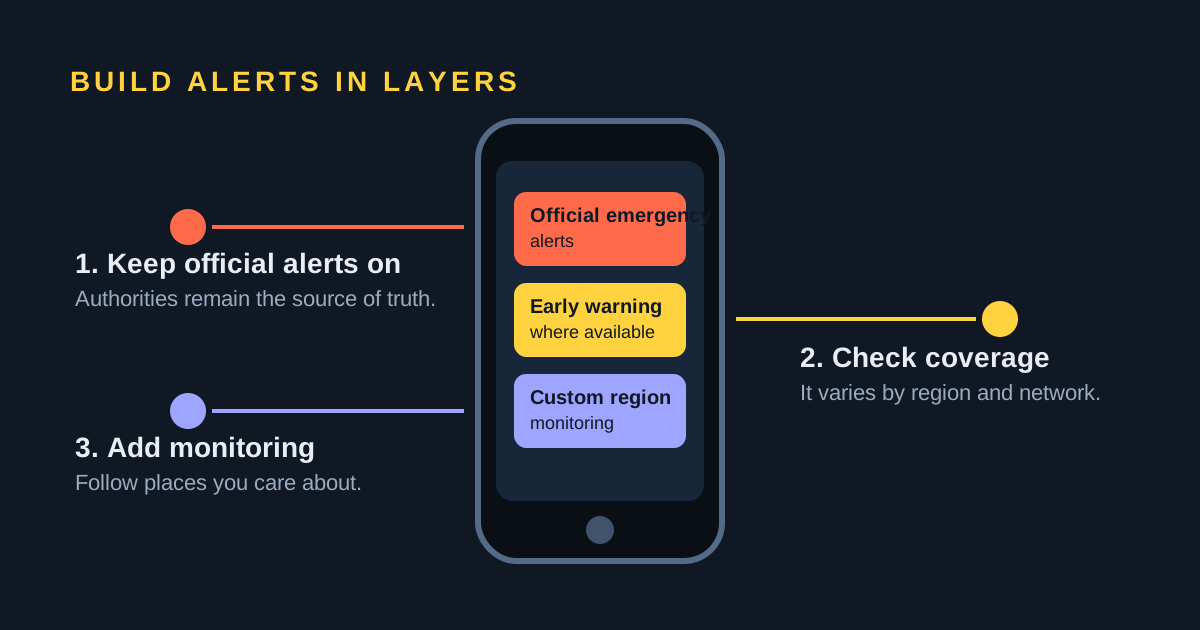
Turn Android's earthquake alerts on
Three things have to be true before the setting can do anything. The phone needs Wi-Fi or mobile data — Google states outright that you must have one of them turned on to get alerts. It needs location available to the system, because Google uses a coarse location to decide which handsets to alert. And it needs Google Play services: earthquake alerts ship inside the "Google Play services for safety & emergency" module, which requires Android 9 or later, so a phone sold without Google's services will not have the screen at all.
Where the screen sits depends on your Android version and the manufacturer's software:
| Phone | Path to the setting |
|---|---|
| Pixel and most stock Android (12 and later) | Settings → Safety & emergency → Earthquake alerts |
| Older Android, roughly 11 and earlier | Settings → Location → Advanced → Earthquake alerts |
| Samsung Galaxy (One UI) | Settings → Safety and emergency → Earthquake alerts |
| Anything else, or if you cannot find it | Open Settings and search for "earthquake" |
Google says earthquake alerts are on by default in supported countries, so most people open this screen to confirm the switch rather than to flip it. Recent One UI releases add Samsung's own earthquake-warning screen in the same place, with a shaking-intensity threshold you can set yourself; the Google system underneath is the same.
Be Aware and Take Action: the two alert types
Android does not send one earthquake alert. It sends two, and the difference between them is the whole point of the feature.
| Alert | Expected shaking | What the phone does |
|---|---|---|
| Be Aware | Light (MMI 3–4) | Ordinary notification; obeys volume and Do Not Disturb |
| Take Action | Moderate to heavy (MMI 5+) | Full screen, loud sound, screen turns on, ignores Do Not Disturb |
A Be Aware alert is a heads-up for light shaking. It looks and sounds like any other notification, so a silenced phone will show it quietly. A Take Action alert is built to be impossible to miss: Google says it breaks through Do Not Disturb, turns the screen on and plays a loud sound, filling the display so you can drop, cover and hold on before the strong shaking arrives.
Google also publishes the display priority. Wireless Emergency Alerts and Emergency Alert System messages from your government always sit on top; earthquake alerts come next; ordinary app notifications come last. That ordering matters for any third-party app, including this one.
How the alerts are actually produced
Two different detection systems feed the same switch, and Google names both on its help page: "Earthquakes are detected by ShakeAlert and by Android."
In California, Oregon and Washington, the alerts come from ShakeAlert, the USGS early-warning system for the US West Coast — a purpose-built network that Google describes as 1,675 seismic sensors. That is real seismic instrumentation, and it is the reason those three states get the fastest, most reliable warnings in the United States.
Everywhere else, Google uses the phones themselves. The accelerometer in an Android handset — the same sensor that rotates your screen — can register ground shaking. When a stationary phone picks up something that looks like the first-arriving P wave, it sends a signal and a coarse location to Google's detection servers. When enough phones in an area agree, the server estimates the earthquake's location and size and pushes alerts outward, ahead of the slower, more damaging waves. That crowdsourced network is how Google can cover countries that have almost no dense seismic instrumentation of their own.
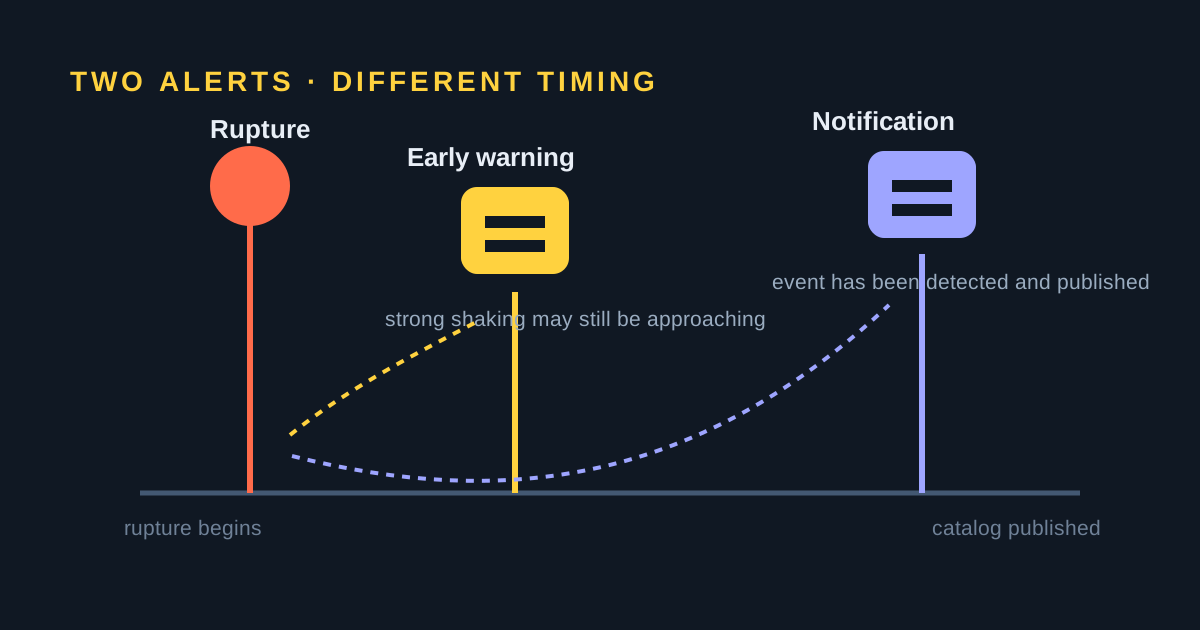
Both routes are earthquake early warning, and early warning has hard physical limits. Google puts it plainly: "You may receive an alert before, during, or after shaking begins." Close to the epicentre there is a blind zone where no system on earth can beat the waves. Our guide to how earthquake early warning works, and how it differs from a notification, explains where the seconds come from and why they run out.
Where Android earthquake alerts work
Google maintains the current country list on its own support page, and it changes as the system expands — check it there rather than trusting a list copied into an article. When we checked in August 2026 it ran to 98 countries and territories, including the whole United States plus Chile, Peru, Venezuela, the Philippines, Turkey, Greece, Iran, Nepal, New Zealand, Spain and Portugal.
Several major earthquake countries were not on that list, among them Japan, Mexico, Italy, Indonesia, Taiwan and Canada. In some of those, a national system already fills the gap. Japan is the clearest case: the Japan Meteorological Agency runs the country's own Earthquake Early Warning service and the alerts reach handsets through the mobile carriers, on Android and iPhone alike. In Mexico, the warning comes from SASMEX, broadcast over street loudspeakers and, since the 2025 national drill, by cell broadcast to compatible phones — a carrier-level message that needs no app and no internet connection.
Troubleshooting: why you got an alert, or didn't
I got an alert and felt nothing
This is expected behaviour, not a bug. Google warns that "occasionally, you may get an alert but not feel an earthquake in your location," and that magnitude and shaking-intensity estimates may have errors. A Be Aware alert is sent for expected intensity 3–4 shaking, which plenty of people sitting indoors simply never notice. An early-warning system has to guess how large an earthquake will be from its first few seconds, so it leans towards warning you. If you want to know what actually happened, check the earthquakes recorded today or your region page.
I felt an earthquake and got no alert
Work through these in order: the earthquake was below the magnitude 4.5 threshold Google uses; you were inside the blind zone near the epicentre, so nothing could have reached you first; the estimated shaking at your exact location came out below the alert level; your country is not on Google's list; the setting is switched off; or the phone had no Wi-Fi or mobile data at that moment. A phone asleep in your pocket is not itself a reason — a Take Action alert wakes the screen — but a Be Aware alert follows your notification rules, so Do Not Disturb can deliver it silently.
Earthquake alerts not working: the checklist
If you have never received an alert and want to be sure the feature is alive, work through this list. Each item is something people have found switched off without realising.
- The switch itself. Settings → Safety & emergency → Earthquake alerts (or Settings → Location → Advanced → Earthquake alerts). It should be on. Google says it is on by default in supported countries, but a factory reset, a new phone or a privacy pass can turn it off.
- Location. Alerts are targeted to where the phone is, so Location must be on and Google Play services needs location permission. A phone with location off gets nothing.
- Your country. The system only operates where Google has enabled it — around 98 countries. See the coverage section above. Japan and Mexico run their own national systems instead.
- Connectivity. The alert is a data message. No Wi-Fi and no mobile data at that moment means no alert.
- Do Not Disturb and notification rules. A Take Action alert breaks through; a Be Aware alert does not. If the alerts you missed were the quiet kind, check that Google Play services notifications are allowed.
- Battery optimisation. Aggressive battery managers on some phones restrict Google Play services in the background. Exempt it.
- Updates. The feature lives in Google Play services, not in an app you install, so keep Play services and Android updated. Very old Android versions are not supported.
If all of that is in order and an earthquake of magnitude 4.5 or more shook your area without an alert, the explanation is almost always physical rather than technical: you were inside the blind zone near the epicentre, or the expected shaking at your exact location fell below the alert level. Our guide to earthquake early warning systems explains why that blind zone exists in every system, not just Google's.
How to turn the alerts off
Use the same path and flip the switch off. Note that this only controls Google's earthquake alerts. Government Wireless Emergency Alerts live separately, under Settings → Notifications → Wireless emergency alerts, and some categories cannot be disabled at all.
Testing that alerts reach your phone
Stock Android has no "send me a demo earthquake" button, and you should be suspicious of any app that claims to provide one. What you can test is the government alert channel: turn on Developer options (Settings → About phone → tap Build number seven times), then go to Settings → Notifications → Wireless emergency alerts and switch Test alerts on to receive the monthly test broadcasts. To see what your phone's earthquake system knows about your area, Google suggests searching for "earthquake in [your city or region]".
USGS Earthquake Notification Service: email alerts you define yourself
If what you actually want is to be told after an earthquake happens — no app, no early warning, just a message when something crosses a threshold you set — the USGS runs a free service for exactly that. It is email-based, and it has been running for years.
- Go to the USGS Earthquake Notification Service and create an account with your email address. You can add more addresses later.
- Confirm the address from the message USGS sends you, then sign in.
- Add a notification and choose the area it covers — anywhere in the world, a named region, or a distance around a point you care about.
- Set the minimum magnitude for that area. A worldwide profile usually wants a high threshold; a profile around your own town can go much lower.
- Save it. USGS emails each qualifying event, and if your mobile carrier supports email-to-text it can arrive as an SMS.
Two caveats. ENS is post-event, so the message follows detection and publication rather than preceding the shaking. And catalog values are provisional: magnitude, depth and location are routinely revised in the hours after a large earthquake.
Comparing the options
These services do genuinely different jobs, and the honest comparison is about which job you need done.
| Service | Type | Where it works | Platform | Cost |
|---|---|---|---|---|
| Android built-in alerts | Early warning | 98 countries; ShakeAlert in CA/OR/WA | Android | Free |
| MyShake | Early warning | California, Oregon, Washington | Android, iOS | Free |
| EMSC LastQuake | Post-event | Worldwide | Android, iOS | Free |
| USGS ENS | Post-event, by email | Worldwide | Any email client | Free |
| SeismoWatch | Post-event push | Worldwide, any area you draw | Android only | Free, no account |
MyShake is run by the UC Berkeley Seismology Lab with the USGS and California's Office of Emergency Services; it delivers ShakeAlert warnings inside the same three states Android already covers, so its main value on Android is as a second channel. LastQuake, from the European-Mediterranean Seismological Centre, is post-event but unusually fast, because it detects earthquakes partly from surges of eyewitness traffic. SeismoWatch, below, is post-event only and Android only — we would rather say so here than have you find out after installing it.
Watch one specific area with SeismoWatch
Android's built-in alerts warn you about the ground under your feet. They do nothing for the place your parents live, the town you are about to fly into, or the fault system you follow professionally. That is the gap SeismoWatch fills.
Draw the area you care about on a map, set the minimum magnitude that matters to you, and the app pushes a notification within minutes of the event being published in the catalogs we watch — USGS, EMSC and, for Venezuela, FUNVISIS. There is no account, no email, and no daily digest to unsubscribe from: a matching earthquake, or silence. It is post-event notification, not early warning, and it is Android only today.
Just felt something and want to know what it was? Open today's earthquakes for the live worldwide list, or go straight to the region page for California, Mexico or any other region we track.
Frequently asked questions
How do I turn on earthquake alerts on Android?
On a Pixel and most stock-Android phones, open Settings, tap Safety & emergency, then Earthquake alerts, and turn the switch on. If there is no Safety & emergency entry, Google's documented fallback is Settings, Location, Advanced, Earthquake alerts. On Samsung Galaxy phones the section is called Safety and emergency. Google says the alerts are on by default in supported countries.
Are Android earthquake alerts run by the USGS?
Only partly. The feature is Google's Android Earthquake Alerts System. In California, Oregon and Washington it delivers alerts based on ShakeAlert data from the USGS-operated sensor network. Everywhere else it uses Google's own detections from the accelerometers inside Android phones.
Why did I get an earthquake alert but not feel anything?
That is normal. Google says you may occasionally get an alert without feeling an earthquake, and that magnitude and shaking estimates may have errors. A Be Aware alert is sent for expected light shaking of intensity 3 to 4, which many people indoors never notice. An early-warning system has to estimate the size of an earthquake within seconds of the first waves arriving.
Why didn't I get an earthquake alert?
Common reasons: the earthquake was below the magnitude 4.5 threshold Google uses; you were inside the blind zone close to the epicentre, where no warning can outrun the shaking; the expected shaking at your location was below the alert level; earthquake alerts are not available in your country; the setting was off; or the phone had no Wi-Fi or mobile data at the time.
Do Android earthquake alerts work in Japan or Mexico?
Neither country was on Google's published list when we checked in August 2026. In Japan the Japan Meteorological Agency operates the national Earthquake Early Warning system and alerts reach handsets through the carriers. In Mexico the alert comes from SASMEX, delivered by street loudspeakers and by cell broadcast to compatible phones.
Can SeismoWatch replace Android's built-in earthquake alerts?
No. SeismoWatch is a post-event notification service: it tells you after an earthquake has been detected and published by USGS, EMSC or FUNVISIS. It is not early warning and it is not a life-safety service. Keep Android's built-in alerts and your government's emergency alerts switched on.
Earthquake alerts not working on Android: what should I check?
Check, in order: that Settings → Safety & emergency → Earthquake alerts is on; that Location is on and Google Play services has location permission, because the alert is targeted to where the phone is; that your country is on Google's list; that the phone has Wi-Fi or mobile data; that Do Not Disturb is not silencing Be Aware alerts; that battery optimisation is not restricting Google Play services; and that Android and Google Play services are up to date. If everything is on and an earthquake of magnitude 4.5 or more shook your area with no alert, you were most likely in the blind zone near the epicentre or below the shaking threshold.
Sources and further reading
- Google Android Help: earthquake alerts, settings paths and the current country list
- Google Android Help: Google Play services for safety & emergency
- Google Crisis Response: Android earthquake alerts, Be Aware and Take Action
- Google Research: Android Earthquake Alerts, a global system for early warning
- USGS ShakeAlert earthquake early warning
- USGS Earthquake Notification Service
- MyShake, UC Berkeley Seismology Lab
- EMSC LastQuake app
- Japan Meteorological Agency: Earthquake Early Warning